About personal car management


You can manage your car and check your usage and reservation history.
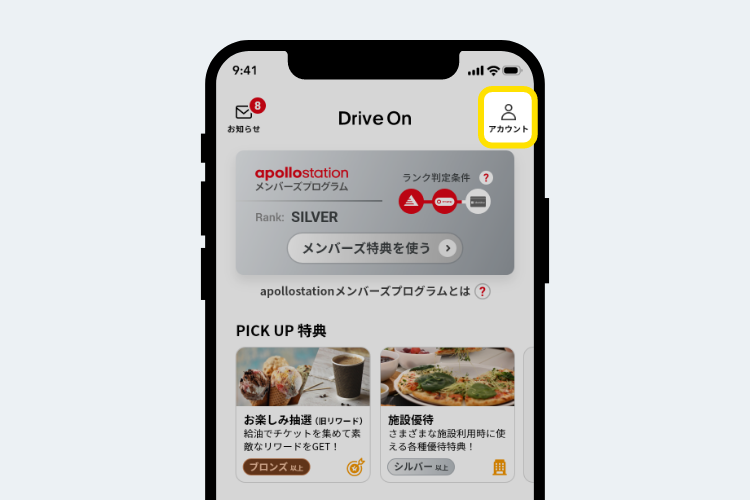
How to display personal car management
You can manage your car through My Account, which can be accessed from the "People (Account)" icon in the top right of the screen.
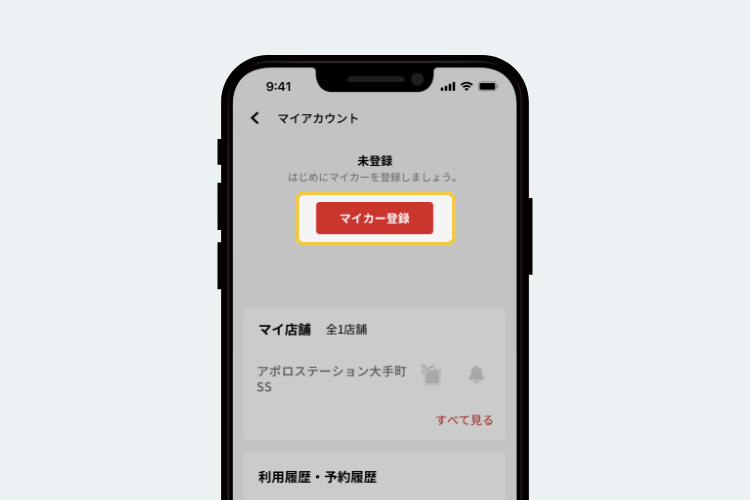
Register your car or motorcycle
By pressing the [Register My Car] button, you can customize the car model and color to your liking, and register your license plate.
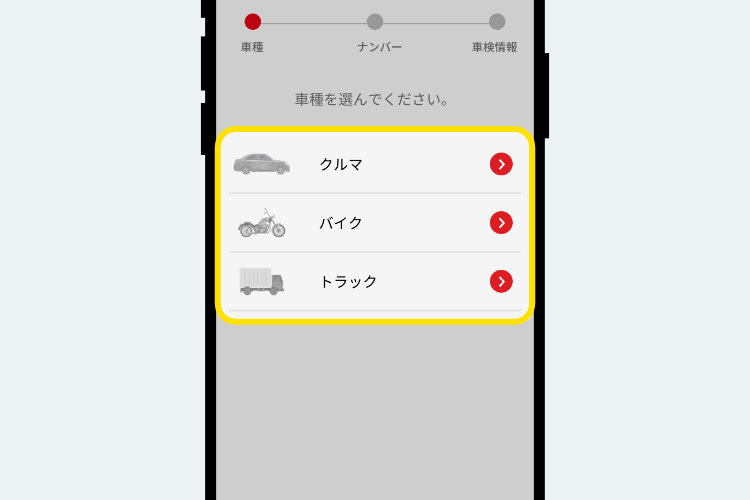
You can select the registered vehicle model from the vehicle model selection screen.
(Here, we will register "Car" as an example.)
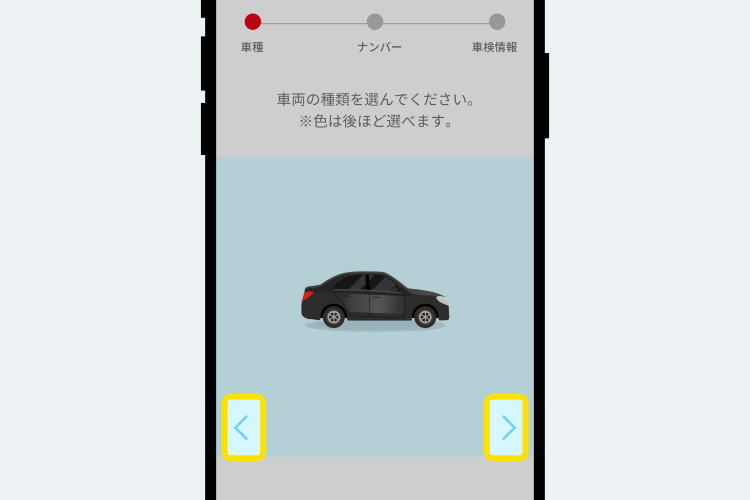
Tap the vehicle type.
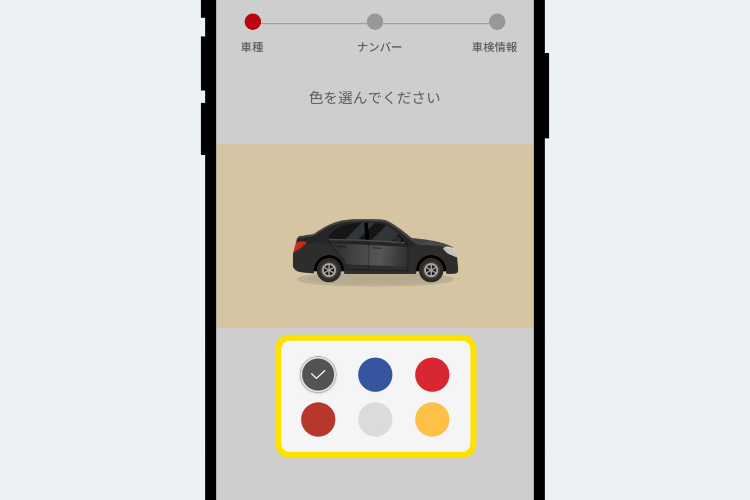
You can choose the color of the vehicle.
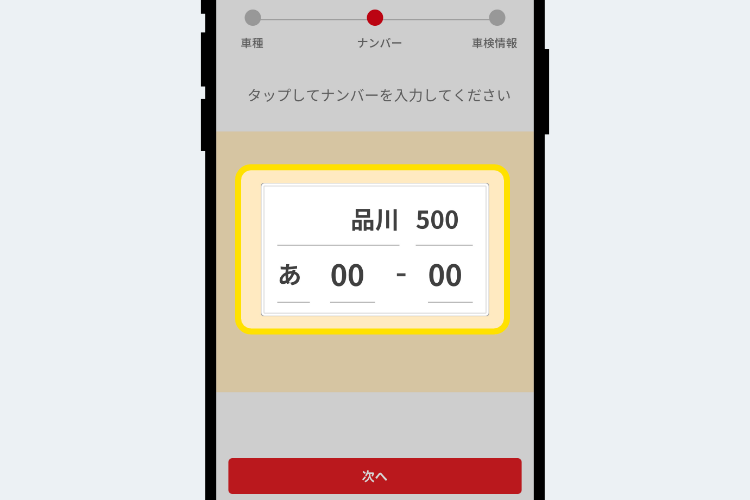
Please enter your number. (Please make sure it is correct.)
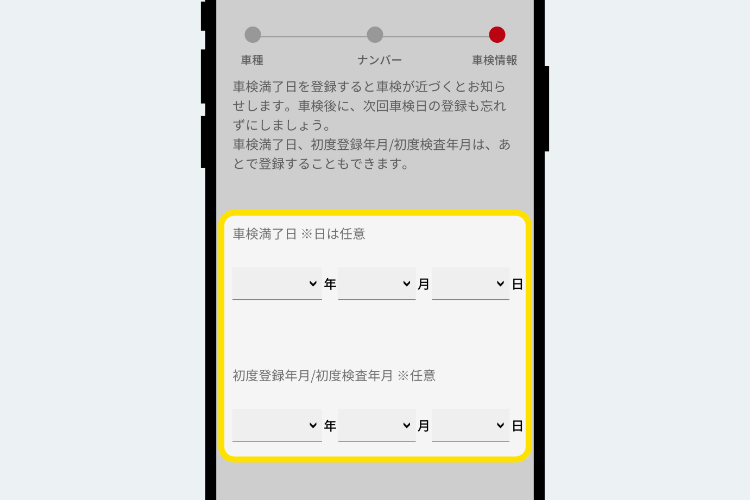
Please register your vehicle registration information.
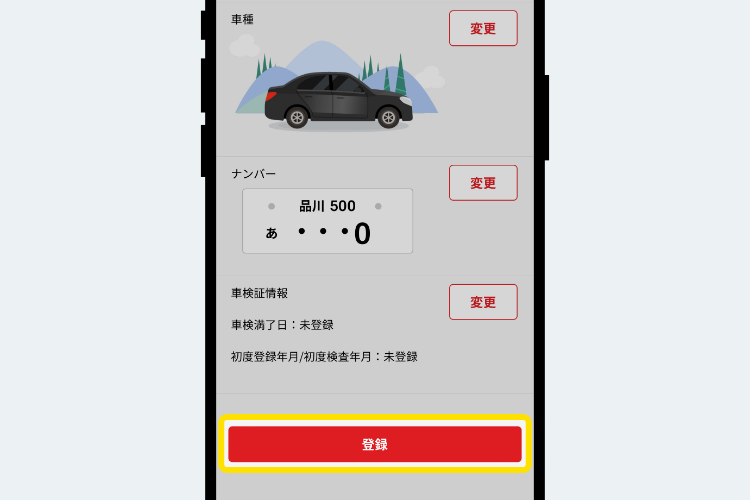
Finally, confirm the registration details and tap the Registration button to complete the registration.
Add your car or motorcycle
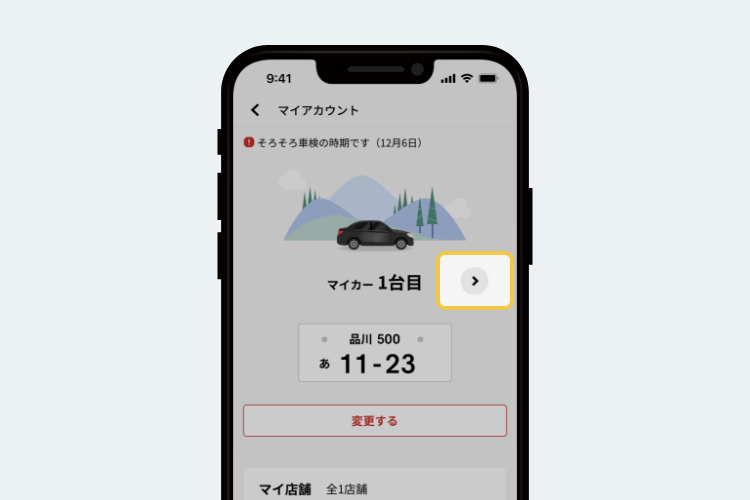
When your car/motorcycle is registered, you can add additional registration by pressing the [>] button on the right side or sliding the top of the screen left or right.
Check your car information and car records
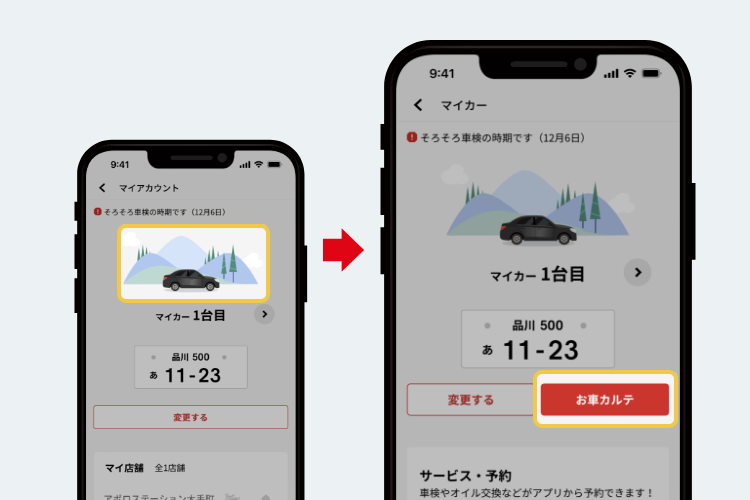
Click on the illustration of your car to display information about your car.
By pressing the "Car Chart" button in your car information, you can view your inspection and maintenance history.
To use this service, you must register your phone number and it is only available at participating stores.
Please contact your store to find out if they are able to accommodate your request.
View usage history and reservation history
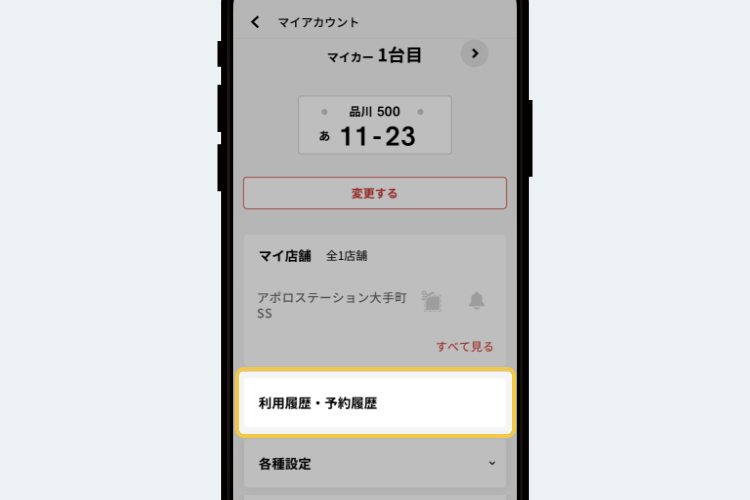
You can check the history of refueling you have used so far and the history of services you have reserved.
Check notifications and coupons
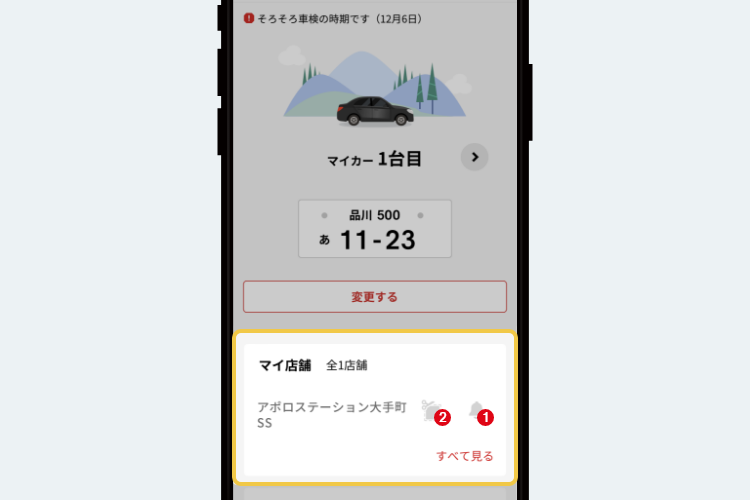
You can check the registered stores and edit them, such as sorting them.
You can also check notifications and coupons from your store.


*Apple, the Apple logo, iPad, and iPhone are trademarks of Apple Inc., registered in the U.S. and other countries. The iPhone trademark is used under license from Aiphone Co., Ltd.
*App Store is a service mark of Apple Inc.
*iTunes only permits legal copying. Please do not pirate music.
*"Google Play," "Google Play logo," and "Android" are trademarks or registered trademarks of Google Inc.