home


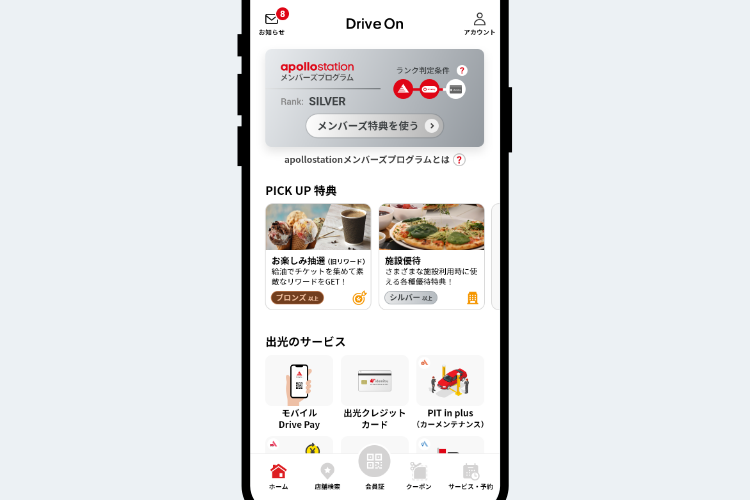
This is the first screen that appears in the Drive On app.
About the home screen
This is the home screen that appears first in the Drive On app. (*)
Frequently used menus are located in the footer tab at the bottom of the screen for easy access. When new notifications arrive, the number of notifications will be displayed in the letter icon at the top. Membership program rank information is displayed at the top, and in the content section in the center, you can check out "PICK UP Benefits" that give you great benefits, "Various Services" provided by Idemitsu, and the latest driving information.
(*) You can also change the first screen displayed in Drive On to your membership card instead of the home screen. You can do this from [Startup Screen Settings] in [My Account].
About the Members Program
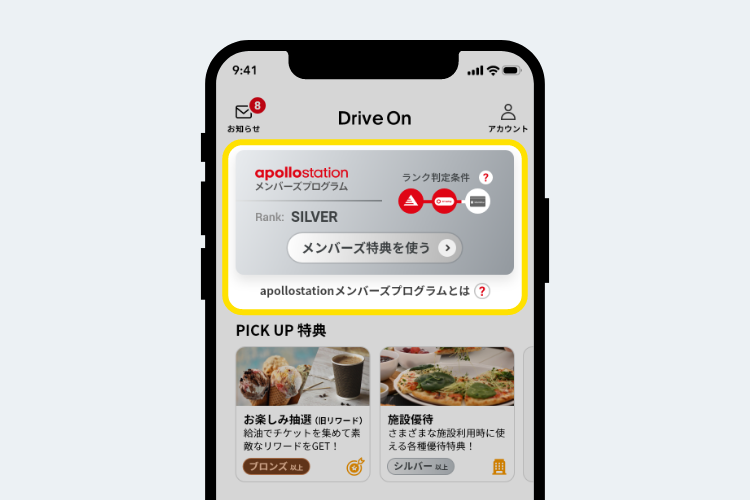
The Members Program is a service in which you can rank up by registering a My Idemitsu ID and using eligible Idemitsu services, and the benefits you receive increase with each rank.
The card displayed at the top of the screen shows the user's current rank, and the color of the card changes depending on the rank.
For details about the members program and rank-up conditions, tap "?".
Use member benefits
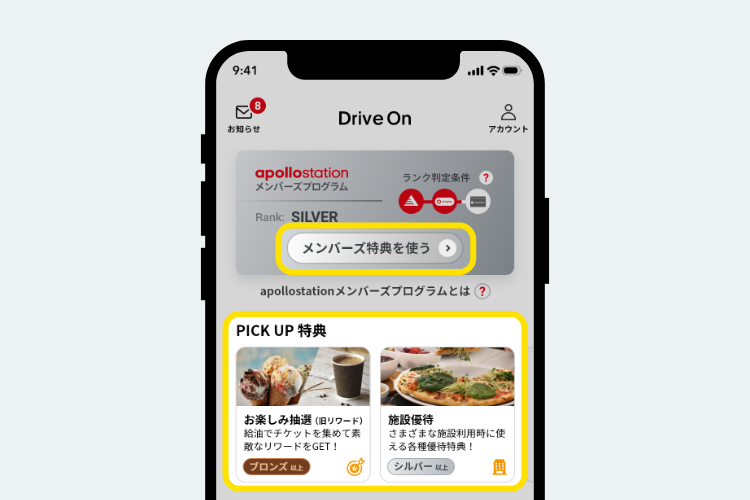
By tapping "View Benefits" or "Recommended Information," you can access a page where various benefits are available.
Idemitsu Services
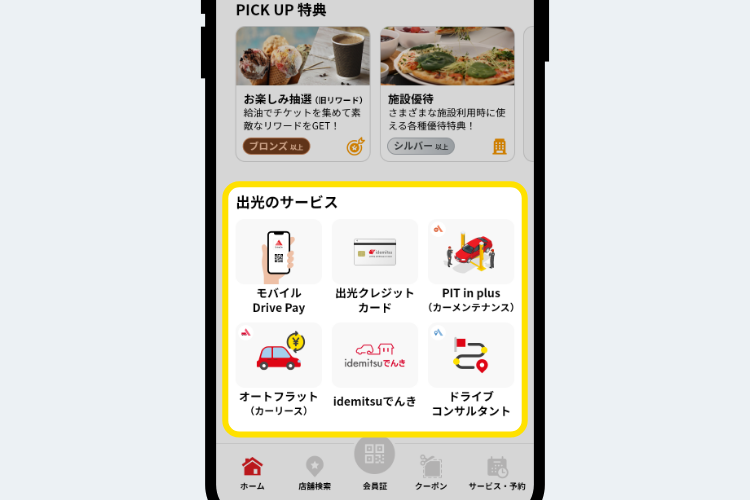
We introduce the various services provided by Idemitsu.
A variety of services are available, including "Mobile DrivePay," which allows you to easily refuel and make payments, and "PIT in plus," which allows you to easily schedule car maintenance and car washes.



*Apple, the Apple logo, iPad, and iPhone are trademarks of Apple Inc., registered in the U.S. and other countries. The iPhone trademark is used under license from Aiphone Co., Ltd.
*App Store is a service mark of Apple Inc.
*iTunes only permits legal copying. Please do not pirate music.
*"Google Play," "Google Play logo," and "Android" are trademarks or registered trademarks of Google Inc.