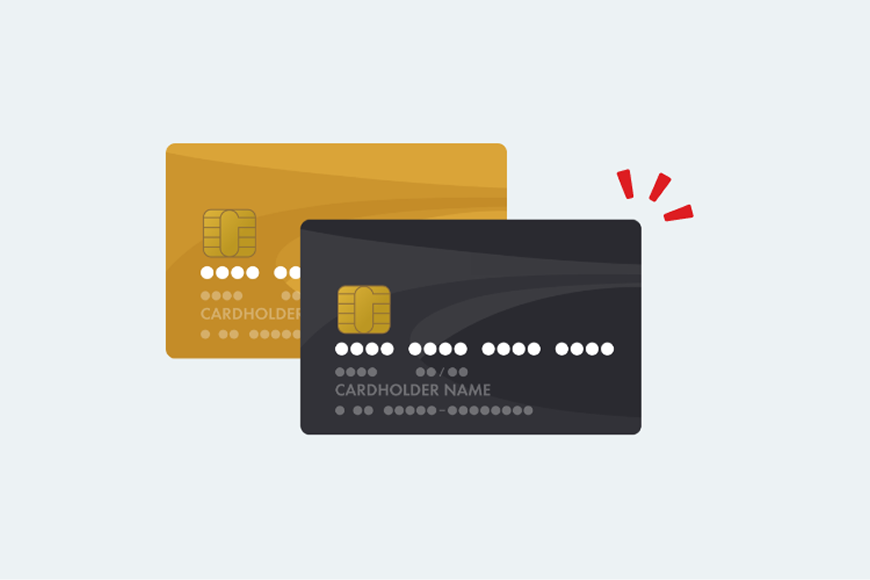
How to register Starex card

How to register Starex card

The idemitsu app allows you to use your Starlex card.
You can register.

How to register

  • 1. Prepare your Starlex card.

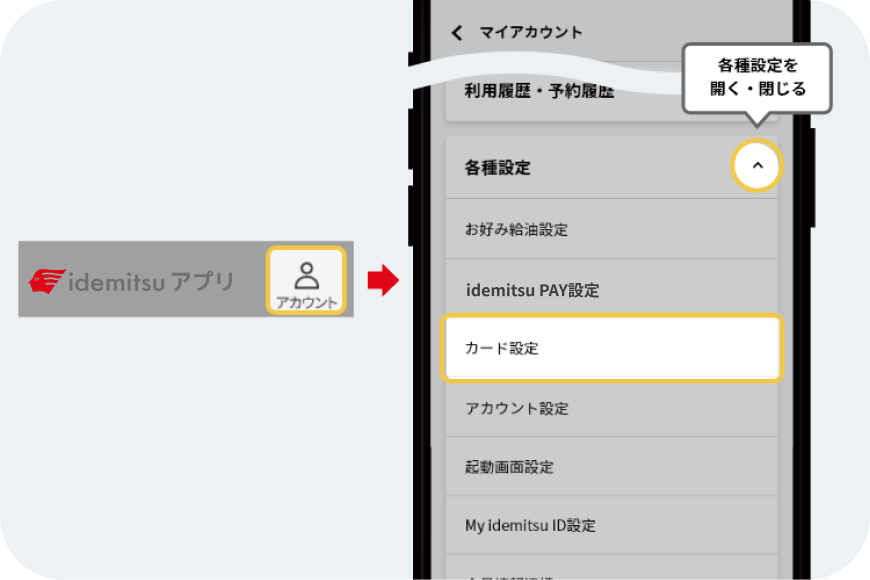
  • 2. Click the "Person (Account)" button in the upper right corner of the screen, and select [Card Settings] from [Various Settings].

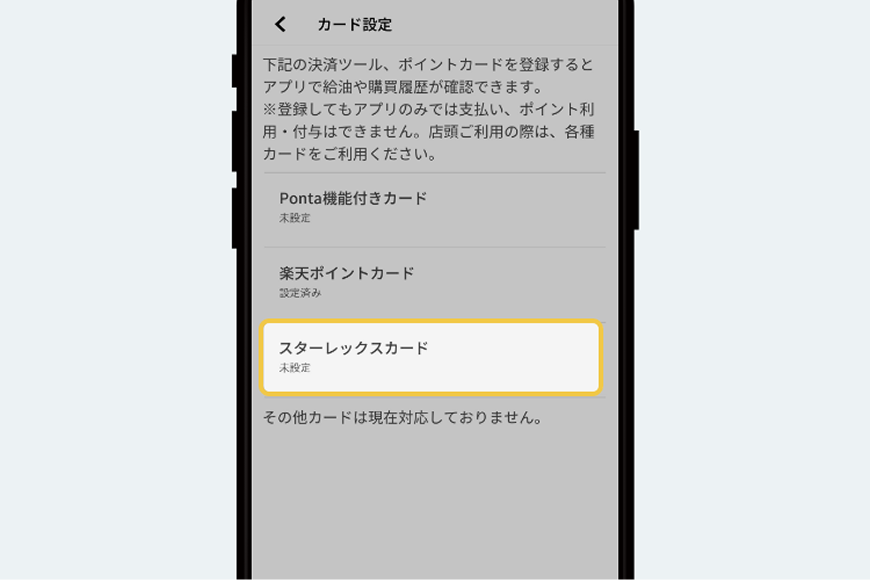
  • 3. Select [Starlex Card]

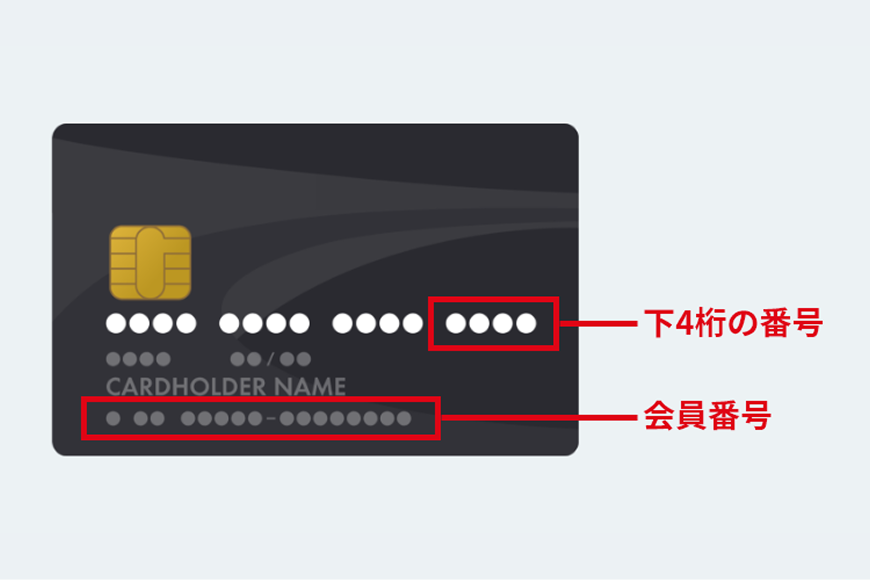
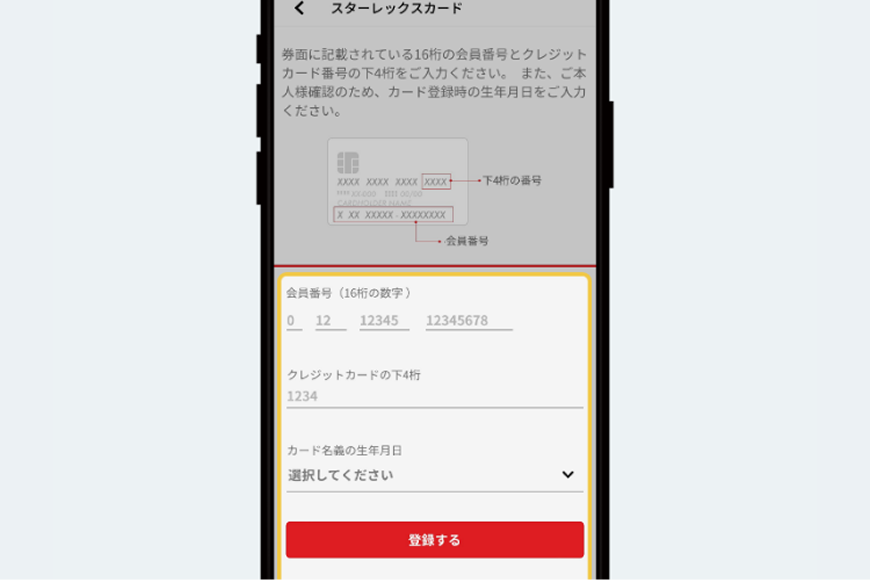
  • 4. Enter your 16-digit Showa Shell membership number, the last four digits of your credit card number, and the cardholder's date of birth.

  • 5. Once you have entered the information, press the [Register] button to complete the process. *After a short while, your transaction history using the registered card will be displayed.


idemitsu app

Using Idemitsu's services
Let's aim for Gold rank!

Download the idemitsu app from the App Store. Download the idemitsu app from Google Play.
Download the idemitsu app from the App Store.

*Apple, the Apple logo, iPad, and iPhone are trademarks of Apple Inc., registered in the U.S. and other countries. The iPhone trademark is used under license from Aiphone Co., Ltd.
*App Store is a service mark of Apple Inc.
*iTunes only permits legal copying. Please do not pirate music.
*"Google Play," "Google Play logo," and "Android" are trademarks or registered trademarks of Google Inc.