

-
01
prepare the necessary items
For idemitsu PAY registration
Items you need to bring (required)-
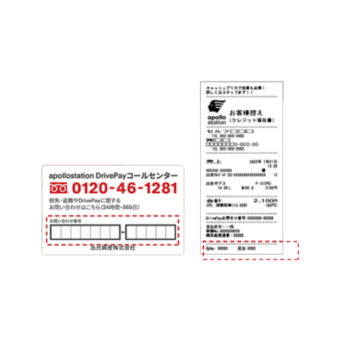
DrivePay contact card
or POS slip -
driver's license
-
Latest version of the idemitsu app
If you don't have DrivePay (a keychain-type payment tool)
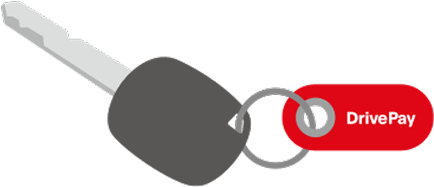
If you do not have a DrivePay card, you will need to apply for a new one at service station.
-
-
02
Proceed to the registration screen from the idemitsu app.
-
Method 1
When registering from the membership card screen
-
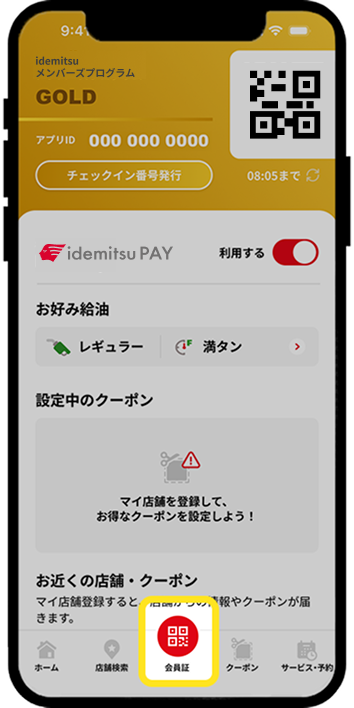
1. Tap "Membership Card" on the bottom menu
-
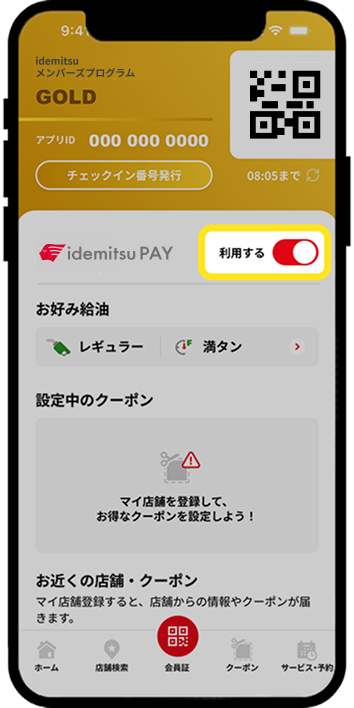
2. Tap "(idemitsu PAY) Register"
-
-
Method 2
When registering from various settings
-
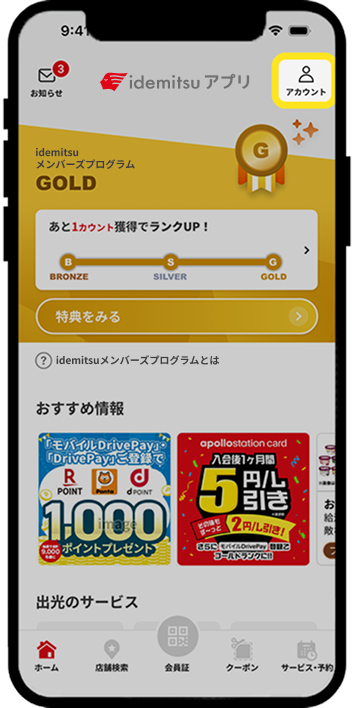
1. Tap the "People (Account)" icon in the top right of the screen.
-
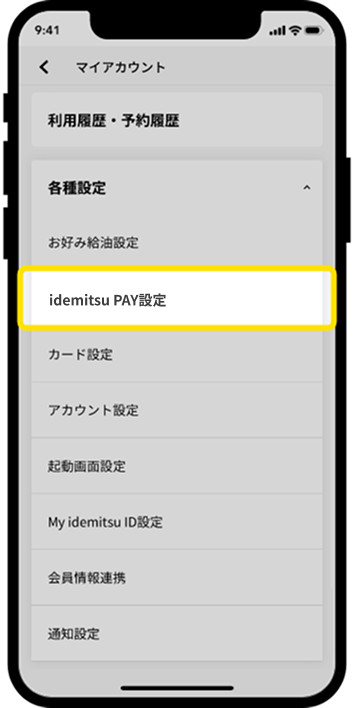
2. Tap "idemitsu PAY settings" in the various settings.
-
-
-
03
DrivePay registration
-
-
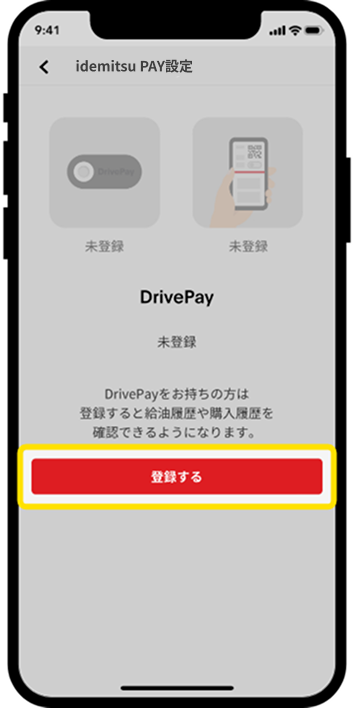
1. Tap the "Register" button
-
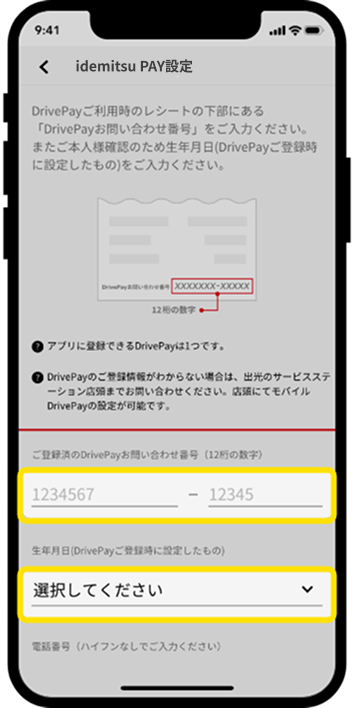
2. Enter "Inquiry number (12 digits)" and "Date of birth"
-
*If you have already registered DrivePay in the idemitsu app, this screen will be skipped.
(If the DrivePay account you are linking is different from the one currently registered, you will need to unregister it in the app first.) -
-
04
idemitsu PAY registration
-
-
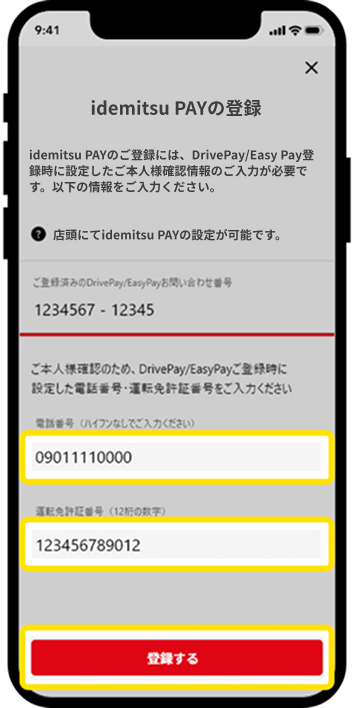
1. Enter the "phone number" and "driver's license number" you registered when creating your DrivePay account, and then press "Register".
-
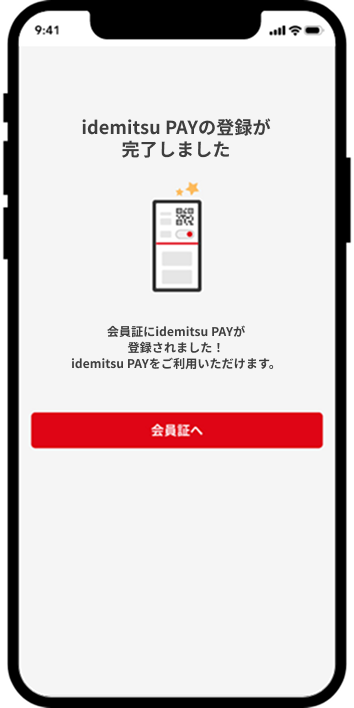
2. Once registration is complete, you will be able to use it as idemitsu PAY.
-
*If the registered number does not match, you will not be able to use it as idemitsu PAY. Also, if you repeatedly enter the wrong number a certain number of times, your input will be locked for a certain period of time for security reasons.
-
How to register for idemitsu PAY
How to register for idemitsu PAY
From check-in to payment, easily refuel with just your smartphone!
How to use idemitsu PAY
There are two ways to use it
-
QR code
When to useWhen using QR code
-
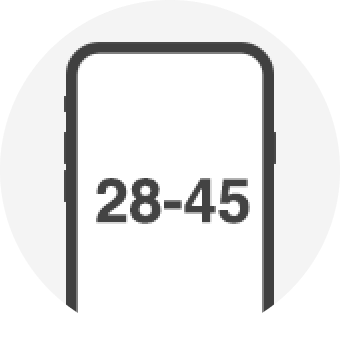
Check-in number
When to use*Used when full SS or QR code cannot be read
-
When using QR code
*Used at self-service station
-
-
1. Visit to service station
-
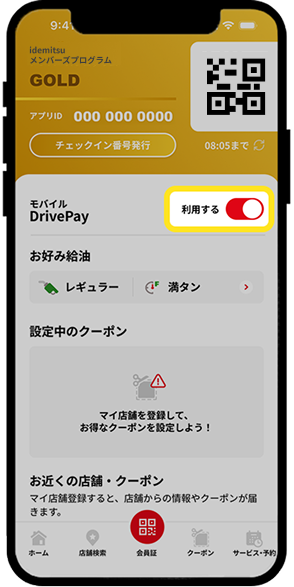
2. Open the app and turn on "Use" for idemitsu PAY.
-
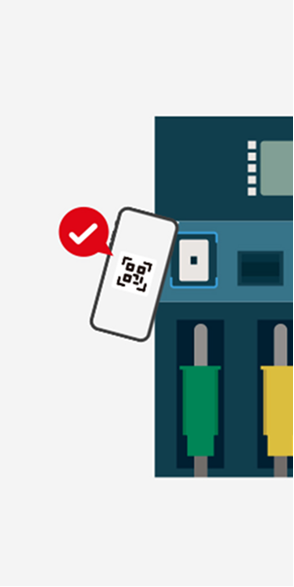
3. Hold the QR code over the refueling machine reader
-

4. Refueling machine operation ~ Refueling complete
-
-
-
When using check-in number
*Used when full SS or QR code cannot be read
-
-
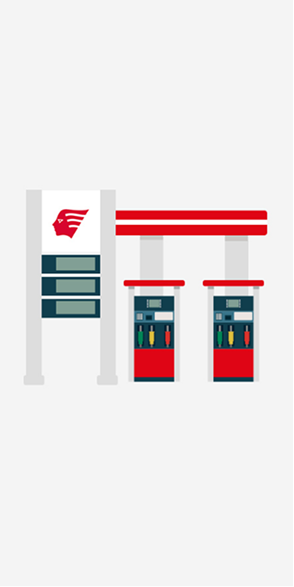
1. Visit to service station
-
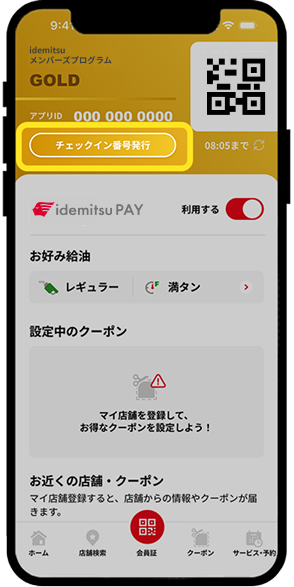
2. Tap "Check-in number issue"
-
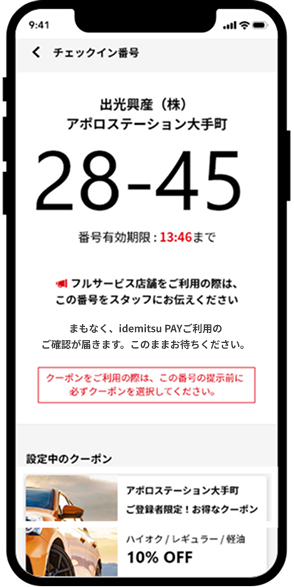
3. Show the displayed 4-digit number to the SS staff
-
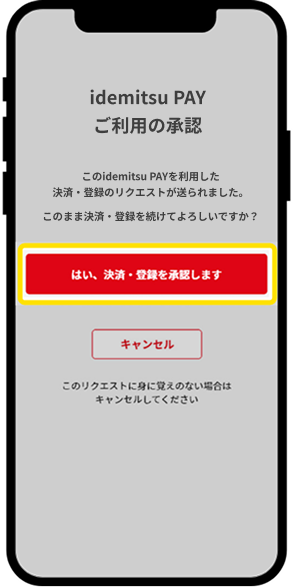
4. Authorize the use of idemitsu PAY. You will receive a push notification on your smartphone. If you do not receive a notification, you can tap the numbers (28-45) to proceed to the authorization screen.
-

5. Refueling machine operation ~ Refueling completed
-
-

Using Idemitsu's services
Let's aim for Gold rank!


*Apple, the Apple logo, iPad, and iPhone are trademarks of Apple Inc., registered in the U.S. and other countries. The iPhone trademark is used under license from Aiphone Co., Ltd.
*App Store is a service mark of Apple Inc.
*iTunes only permits legal copying. Please do not pirate music.
*"Google Play," "Google Play logo," and "Android" are trademarks or registered trademarks of Google Inc.