
How to register
-

1. If you do not have a Ponta member ID or Recruit ID, please register below.
*This will take you to the PontaWeb member registration site.
*Even if you only have a Recruit ID, you will need to register as a Ponta member. For information on Ponta services, including Recruit ID registration, please see "PontaWeb Frequently Asked Questions and Inquiries". -
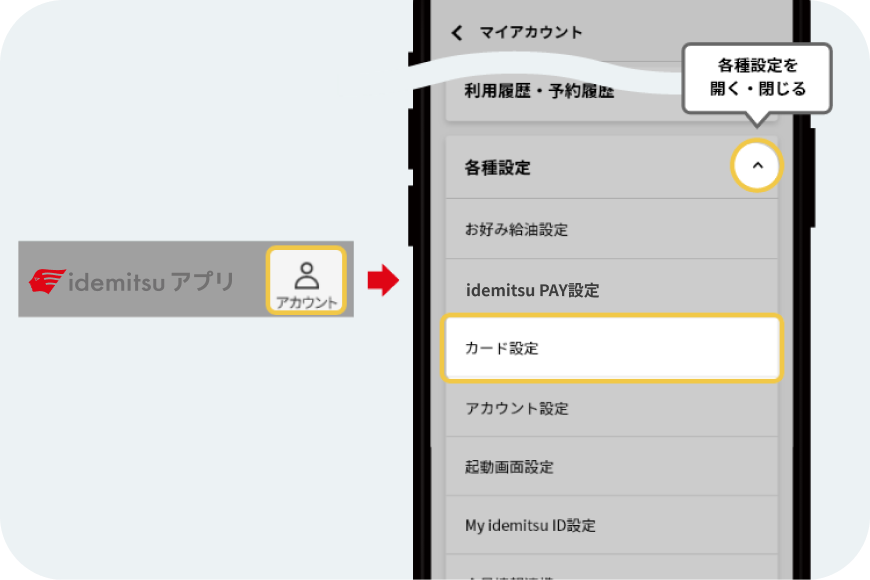
2. Click the "Person (Account)" button in the upper right corner of the screen, and select [Card Settings] from [Various Settings].
-
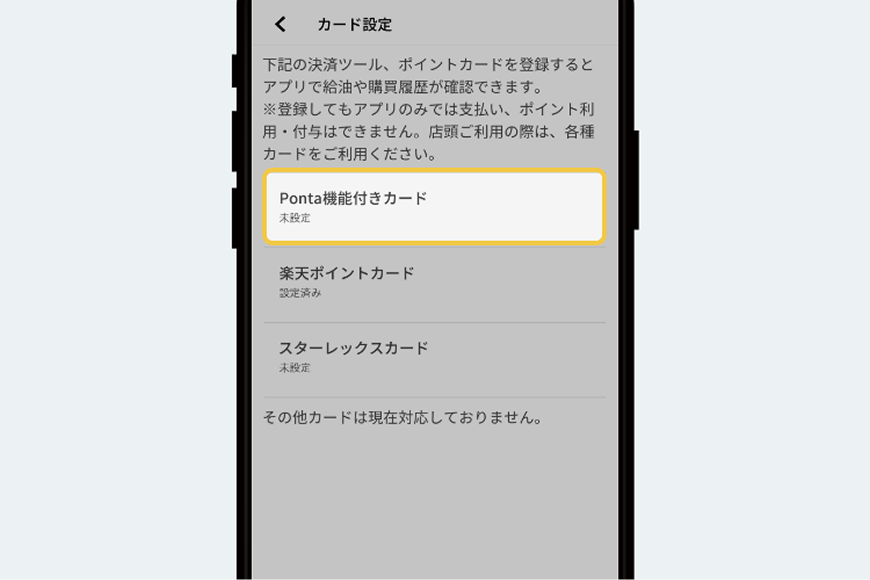
3. Select [Card with Ponta function].
-
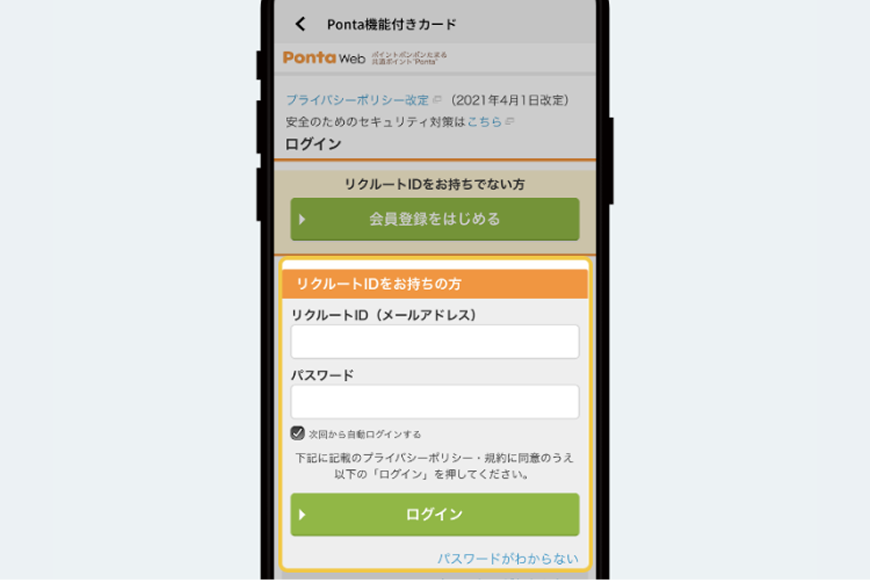
4. Enter your Recruit ID and password, then click the [Login] button to complete the linking process.
*After a short while, your transaction history using your registered card will be displayed.